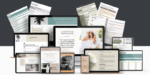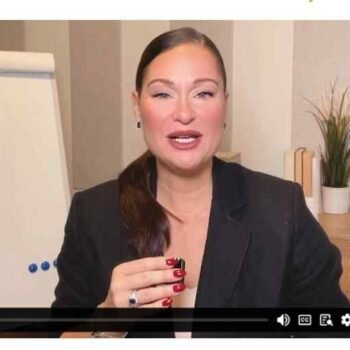

Scroll Stopping Edits – video editing course
$65.00 Original price was: $65.00.$24.00Current price is: $24.00.

Scroll Stopping Edits – Transform Your Editing Skills and Create High-Impact Videos
In today’s digital world, audiences scroll endlessly—and only the most compelling videos stop them in their tracks. Whether you’re creating content for YouTube, Instagram Reels, TikTok, or any other platform, the ability to produce short-form, high-impact videos is more valuable than ever. That’s exactly what you learn inside the Scroll Stopping Edits – video editing course, a program designed to help creators produce captivating, visually dynamic videos that hold attention from the first second to the last.
This guide gives you a complete breakdown of what this style of editing involves, why it works, the techniques you’ll learn, and how it can transform your content creation journey—even if you’re a beginner.
What Are Scroll-Stopping Edits?
Scroll-stopping edits are a modern editing approach designed specifically for short-form content platforms. The goal is simple:
Hook the viewer instantly and keep them watching.
The typical viewer gives you less than two seconds to impress them. That means your editing must be:
Fast-paced
Energetic
Visually stimulating
High in clarity and storytelling
Scroll-stopping edits use a combination of:
Attention-grabbing hooks
Sound design
Fast cuts
Dynamic transitions
On-screen text
Pattern interrupts
Visual effects
Creative zooms and pans
Smooth flow from scene to scene
This style makes your content impossible to ignore.
Why Scroll-Stopping Editing Matters in 2025
The digital space is noisier than ever. Every creator is fighting for attention, and audiences are becoming more selective about what they watch. This means average editing no longer works.
Here’s why scroll-stopping edits are crucial:
Attention Is the New Currency
Platforms reward high retention and high watch time. Better editing → better retention → better reach.
Short-Form Content Dominates
TikTok, Reels, and Shorts are now central to audience growth. Scroll-stopping editing is perfectly engineered for these platforms.
Branding Through Editing Style
Strong editing creates a recognizable style. It sets you apart and builds a loyal audience.
Better Engagement and Conversions
Dynamic editing increases:
Likes
Shares
Comments
Saves
Click-through rates
For business owners, these edits lead to more leads and sales.
What You Learn in a Scroll-Stopping Editing Program
A good editing program teaches more than basic cuts or transitions. It focuses on retaining attention and creating a story in under 60 seconds.
Here’s what such a course typically covers:
Building Strong Video Hooks
A powerful hook determines whether viewers continue watching. You’ll learn:
How to create curiosity instantly
How to use bold statements and text
How to design fast visual openings
Hooks are the engine of every viral video.
High-Retention Editing Techniques
These techniques ensure viewers don’t swipe away:
Jump cuts
Pace control
Snappy zooms
Motion blur
Quick transitions
Split screens
Beat-matched cuts
The goal is to maintain constant visual movement.
Mastering Short-Form Storytelling
Even in 15 seconds, you must deliver a clear story. This includes:
Setting context instantly
Eliminating unnecessary details
Structuring mini-narratives
Keeping your message simple
The ability to compress storytelling makes content more powerful.
Dynamic Text & Typography
Words on screen greatly influence retention. You’ll learn:
Bold titles
Kinetic typography
Subtle text animations
On-beat text motion
Text must enhance the video—not distract from it.
Smooth Transitions and Visual Flow
Professional videos rely on seamless transitions:
Whip transitions
Speed ramps
Mask transitions
Zoom-in/zoom-out effects
Camera-matching cuts
These keep the viewer immersed in the experience.
Sound Design for Impact
Audio is 50% of a video’s effectiveness. You learn:
Sound effects (SFX) for emphasis
Beat drops and timing
Audio transitions
Voice clarity improvement
Layering background effects
Great sound = high emotional impact.
Color Correction & Color Grading
Visual tone affects how viewers feel. The course covers:
Correcting exposure
Enhancing contrast
Matching clips
Applying cinematic looks
Creating brand-specific color palettes
Color is storytelling.
Editing Workflow & Efficiency
Time is a creator’s biggest asset. You’ll master:
Organized editing timelines
Smart keyboard shortcuts
Editing templates
Preset libraries
Batch processing
This helps produce more content in less time without sacrificing quality.
Platform-Specific Editing Techniques
Every platform has different rules. You learn:
Reels formatting
TikTok pacing
YouTube Shorts structure
Hashtags and text placement
Safe zones for clean designs
Your videos will look native to every platform.
Who Should Learn Scroll-Stopping Editing?
This course is perfect for anyone who wants to grow online or improve their content creation abilities:
Content creators
Influencers
Video editors
Entrepreneurs
UGC creators
Coaches and consultants
Small business owners
Digital marketers
Social media managers
Personal brand builders
If you want your videos to get more views, more engagement, and more reach—this editing style is essential.
Benefits of Learning Scroll-Stopping Editing
Instantly Better Engagement
Eye-catching editing boosts likes, comments, shares, and saves.
Faster Growth on Social Media
Platforms prioritize videos that keep viewers watching. Your content gets recommended more.
Professional-Level Video Quality
Your videos look polished, cinematic, and expertly crafted.
Clear Brand Identity
A unique editing style makes you recognizable and memorable.
More Opportunities and Clients
Better editing helps you land:
Paid collaborations
Editing gigs
Content creation contracts
Brand deals
Higher Confidence as a Creator
When your videos look great, you feel more excited to post consistently.
Essential Tools Used in Scroll-Stopping Editing
While the course works with multiple platforms, you’ll typically use:
Adobe Premiere Pro
CapCut
After Effects
Final Cut Pro
DaVinci Resolve
Mobile editing tools (for creators on the go)
You learn both beginner-friendly and advanced techniques.
Why This Editing Style Produces Viral Results
Scroll-stopping editing is designed around human psychology. It uses:
Pattern Interrupts
Sudden changes in visuals or sound grab attention.
Micro-Storytelling
Audiences love short, snackable narratives.
Rhythm and Flow
Videos synced to sound feel more natural and satisfying.
Visual Satisfaction
Smooth transitions trigger dopamine responses.
Information Density
Delivering value fast keeps viewers hooked.
This is why top creators, brands, and influencers use this style—it works.
Tips to Improve Your Scroll-Stopping Editing Skills
Even before taking the course, you can start improving with these tips:
Keep Your First 1–2 Seconds Hyper-Engaging
This determines whether the viewer stays.
Cut Out Anything Boring
If it doesn’t add value, delete it.
Match Movements Between Clips
This creates satisfying transitions.
Use Speed Changes Strategically
Pacing determines retention.
Choose Strong Music
Audio drives energy and emotion.
Use Text to Support the Story
Text should clarify—not overwhelm.
Stay Consistent
The more you practice, the clearer your style becomes.
Why a “Scroll-Stopping Edits” Course Is Worth It
You’re not just learning software—you’re learning how to communicate in the language of modern content.
This style of editing helps you:
Grow your audience
Build your brand
Stand out from competitors
Connect with viewers emotionally
Deliver your message clearly
Create videos people remember
The principles taught inside the Scroll Stopping Edits – video editing course are used by top creators, influencers, videographers, and marketers worldwide.
Final Thoughts
Mastering scroll-stopping editing is one of the fastest ways to elevate your content, increase your reach, and position yourself as a high-quality creator. It’s not just about adding effects—it’s about understanding how to tell a story quickly and beautifully. With the right techniques, you can turn ordinary clips into high-impact videos that captivate viewers from the very first frame.